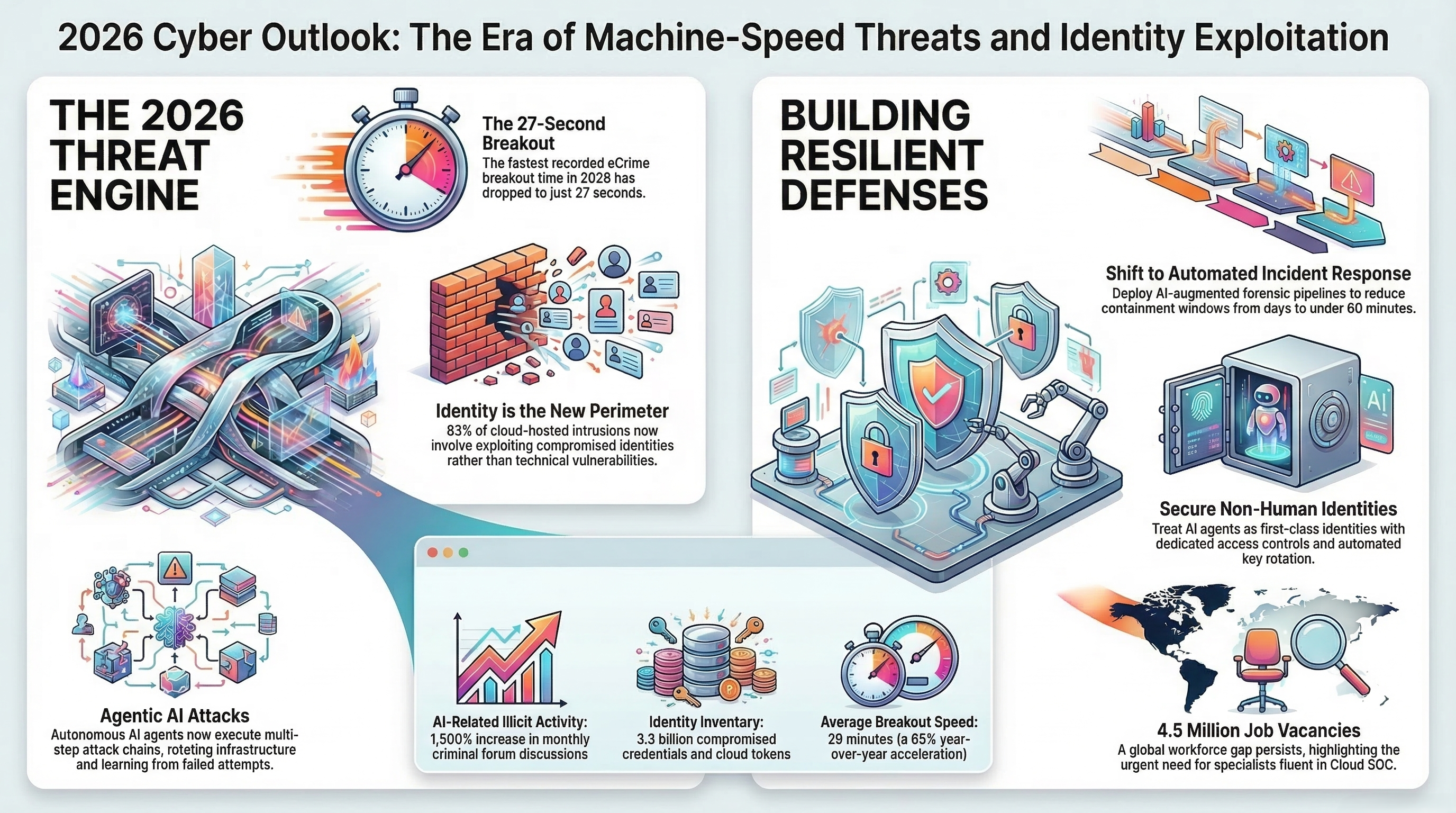
Your team ships to the cloud every day. New containers start and stop in minutes, developers change infrastructure with a code commit, and the system that passed review last month looks different today. The old security model, a strong wall around a fixed network, does not fit this picture, because in the cloud there is no fixed network to wall in. Cloud-native security is the answer to that mismatch: security built into the way cloud systems are designed, deployed, and run, with compliance checked continuously instead of once a year. This guide explains cloud-native security and compliance in plain language: what cloud-native means, why old approaches break, what a solution covers, how to implement it step by step, and how to measure whether it is working. Key Takeaways - Cloud-native means workloads built for the cloud: containers, microservices, and infrastructure defined as code. - Old perimeter security does not fit, because cloud systems change constantly and have no fixed boundary. - The solution combines image scanning, policy as code, runtime protection, and continuous compliance checks. - Misconfiguration, not clever hacking, is the most common cloud risk, and it is preventable. - Compliance in the cloud is continuous: checked with every change, not once a year. What is cloud-native security? Cloud-native security is the practice of securing applications and infrastructure that are built for the cloud: containerised workloads, microservices, serverless functions, and infrastructure defined as code. Instead of adding security after deployment, controls are built into the pipeline: code is scanned before it ships, policies are checked automatically, and running workloads are watched for unusual behaviour. Definition box: Cloud-native describes systems designed for cloud platforms, using containers, microservices, and automation. Infrastructure as code (IaC) means defining servers, networks, and settings in files that can be reviewed and versioned like software. Policy as code means writing security rules as code, so they are checked automatically every time something changes. The problem: why old security breaks in the cloud Traditional security assumed a stable network with a clear inside and outside. Cloud-native systems break both assumptions. Workloads are short-lived: a container may exist for minutes. Change is constant: a single commit can alter infrastructure. Responsibility is shared: the cloud provider secures the platform, and the customer secures what they build on it, including configuration, access, and data. The result is that the most common cloud failures are configuration failures: storage left open, excessive permissions, logging switched off. These are not exotic attacks. They are ordinary mistakes, made at cloud speed, and they stay invisible until someone looks. A yearly audit cannot catch them, because the system changes weekly. The fix is security that moves at the same speed as the change.
What a cloud-native security and compliance solution covers A solution covers the full lifecycle of a cloud workload, in five parts. Image and container scanning: checking container images for known weaknesses before they are deployed, and blocking images that fail the check. A vulnerable image that never ships cannot be exploited. Infrastructure as code checks: scanning the files that define infrastructure for risky settings, such as open storage or missing encryption, before they are applied. Catching a mistake in code is cheaper than catching it in production. Policy as code: writing the rules once, as code, and checking every change against them automatically. When a change breaks a rule, the pipeline stops it or flags it, instead of relying on someone remembering to check. Runtime protection: watching running workloads for unusual behaviour, such as a container trying to reach something it should not, and raising an alert while the behaviour is happening. Continuous compliance: mapping controls to frameworks such as ISO 27001 and the NIST Cybersecurity Framework, and checking coverage continuously, so the team always knows what is covered and where the evidence is. Implementation steps Step 1. Map what you run in the cloud: accounts, workloads, data stores, and who can access them. You cannot secure what you cannot list. Step 2. Fix the highest-risk misconfigurations first: open storage, excessive admin access, and missing logging. These are the findings that matter most, and they are usually quick to fix. Step 3. Add scanning to the pipeline: image scanning and infrastructure-as-code checks on every change, so risky changes are caught before deployment. Step 4. Write the policies as code, starting with the rules that matter most: encryption, access, and exposure. Keep the list short at first, and add rules as the team learns. Step 5. Turn on runtime protection for the most important workloads, and agree who responds to alerts and how quickly. Step 6. Connect the controls to your compliance frameworks, and run a trial review internally before the next real audit. Confirm the exact frameworks supported with the solution team before committing. How to measure success A cloud-native security solution should be judged on outcomes, not on how many tools it has. Useful measures include the number of high-risk misconfigurations open at any time, the time taken to fix a new finding, the share of workloads covered by scanning and runtime protection, and the time taken to prepare for an audit. Track these before and after implementation. The simplest test: can you answer, today, which of your cloud resources are exposed, who can reach them, and whether your controls are still in place? If yes, the solution is working. If the answer is still a manual check, the coverage or the automation needs attention, not more tools. Real-world example (illustrative) A services company in Lahore moved its customer portal to the cloud, using containers and infrastructure defined as code. The launch went well, but a routine review found three problems: a storage bucket holding backups was publicly readable, a service account had admin rights it never used, and logging was off for one workload. None had caused a known incident, but any one of them could have. The team fixed the bucket the same day, trimmed the account's permissions, and switched logging on, then added image scanning and infrastructure checks to the pipeline so the same mistakes could not return silently. The next review took hours instead of days, because the checks ran continuously. This example is illustrative, not a real client case. Common mistake: lifting perimeter thinking into the cloud The most common mistake is treating the cloud like a data centre with a stronger firewall: trusting anything inside the network and checking security once a year. In the cloud, there is no inside. Workloads change constantly, access comes from everywhere, and a check that runs once a year misses eleven months of change. The fix is identity-based control, policy checked on every change, and runtime watching, instead of a wall around a network that no longer exists.
Spotlight: Cloud-Native Security and Compliance solution The Cyber Legends Cloud-Native Security and Compliance solution is the offering most relevant to this topic. It brings the five parts above together: scanning, policy as code, runtime protection, and continuous compliance checks, so a team can move fast in the cloud without losing track of what is exposed. It is for businesses running real workloads in the cloud, and for teams that need to show auditors and clients that their cloud is under control. The result is fewer surprises, faster fixes, and compliance evidence that stays current. Explore it at https://cyberlegends.org/solution/e61N0xXB/ and the full catalogue at https://cyberlegends.org/solutions/ Motivation and engagement The cloud rewards speed, and speed without security is how small mistakes become big incidents. The good news is that cloud-native security works at the same speed as the cloud itself: checks run on every change, policies are code, and the evidence is always current. Your team does not need to slow down to be secure. It needs security that keeps up. Imagine the next audit notice arriving and your first feeling being readiness instead of dread, because the checks have been running all year. That is what a cloud-native approach makes possible. Your next step is one honest inventory: list what you run in the cloud, who can reach it, and whether your controls are still in place. If the list has gaps, book a free consultation. A useful lead magnet is a one-page cloud security checklist: exposure, access, logging, and the five controls to check first. How confident are you that your cloud is configured safely right now? Tell us in the comments. Stay connected, and write to [email protected] with questions. Frequently asked questions What is the difference between cloud security and cloud-native security? Cloud security covers protecting any workload in the cloud. Cloud-native security is the approach for workloads built for the cloud: containers, microservices, and infrastructure as code, with controls built into the pipeline and checked continuously, rather than added afterwards. What is policy as code? Policy as code means writing security rules as code, so they are checked automatically whenever something changes. A rule such as "storage must not be public" becomes a test that runs on every change, instead of a line in a document that someone has to remember. Does cloud-native security replace the cloud provider's security? No. The provider secures the platform, and the customer secures what they build on it: configuration, access, data, and workloads. This split is called the shared responsibility model, and most cloud incidents come from the customer side of that split. Can a small business benefit, or is this only for enterprises? Small businesses benefit, often more, because they have fewer people and change things quickly. Automated checks catch the mistakes a small team has no time to look for, and continuous compliance evidence saves weeks of preparation before an audit. Conclusion Cloud-native systems change constantly, and security that checks once a year cannot keep up. The answer is security built into the pipeline: scan images and infrastructure before they ship, write policies as code, watch workloads while they run, and check compliance continuously. That combination turns cloud speed from a risk into an advantage. If your cloud has grown faster than your checks, now is the time to close the gap. Explore the Cloud-Native Security and Compliance solution at https://cyberlegends.org/solution/e61N0xXB/ , browse the full catalogue at https://cyberlegends.org/solutions/ , and enquire through the official form at https://cyberlegends.org/application/ . Next step Explore the solution at https://cyberlegends.org/solution/e61N0xXB/ and the full catalogue at https://cyberlegends.org/solutions/ . When you are ready, enquire through the official form at https://cyberlegends.org/application/ . For solution enquiries, the address on record is [email protected]. References - NIST Cybersecurity Framework: https://www.nist.gov/cyberframework - CIS Benchmarks, Center for Internet Security: https://www.cisecurity.org/cis-benchmarks - Cloud Native Computing Foundation: https://www.cncf.io/ - OWASP Cloud-Native Application Security Top 10: https://owasp.org/www-project-cloud-native-application-security-top-10/ - CISA, Cybersecurity and Infrastructure Security Agency: https://www.cisa.gov/ - Cyber Legends, Cloud-Native Security and Compliance solution: https://cyberlegends.org/solution/e61N0xXB/ Disclaimer: This content is for educational purposes. Always test security tools only on systems you own or have written permission to assess.
Share Article
Related Insights
The Great DM Decryption: 5 Impactful Takeaways fr…
Mar 14, 2026
The Obsolete Roadmap: 6 Counter-Intuitive Truths …
Mar 16, 2026